Showing posts with label massachusetts. Show all posts

Monday, November 24, 2014

Instructional Technology & Digital Learning Update For November 1st -7th 2014 Andover Innovation Lab & Help Desk


Parth Valecha Andover Innovation Lab Student Inducted Into National Honor Society At Andover High School

I had the opportunity to attend the national honor Society induction because one of my former students that I had at the Andover innovation lab had selected me as a teacher who had inspired them. Parth Valecha  had worked on a business project last year during his time at the Andover Innovation Lab which combined bluetooth technology for headphones and sports which required swimming or boating. Parth and I had many in-depth conversations on his business plan and how he could more narrowly target his market.  It was an honor that he had invited me to this important event and selected me as a teacher. Parth is a hardworking student who will surely be successful in any venture he takes on.

Release Of Our Help Desk Promotional Video
With the editing of Dan Brennan and the assitance of some of our help desk students we have been able to produce a video which outlines the work we do at the Andover innovation lab & Help Desk.
Check it out below!


Math Department Head Working On Blog With Bryce Corbitt

This week Bryce Corbitt from the Andover innovation lab also began working on the Math Department website with Math Program Coordinator Katherine Richards. They were able to determine a layout that they would like to use with Google sites and also begin to conceptualize some of the content that will be included on the site.  Bryce is been a great asset to the team this year and I know he will do a great job working with Ms. Richards.  This project will probably take the next couple months to complete and will become one of his projects. Bryce has been a great resource to several teachers with his great attitude and approach to helping.


Homework Document for Google Drive

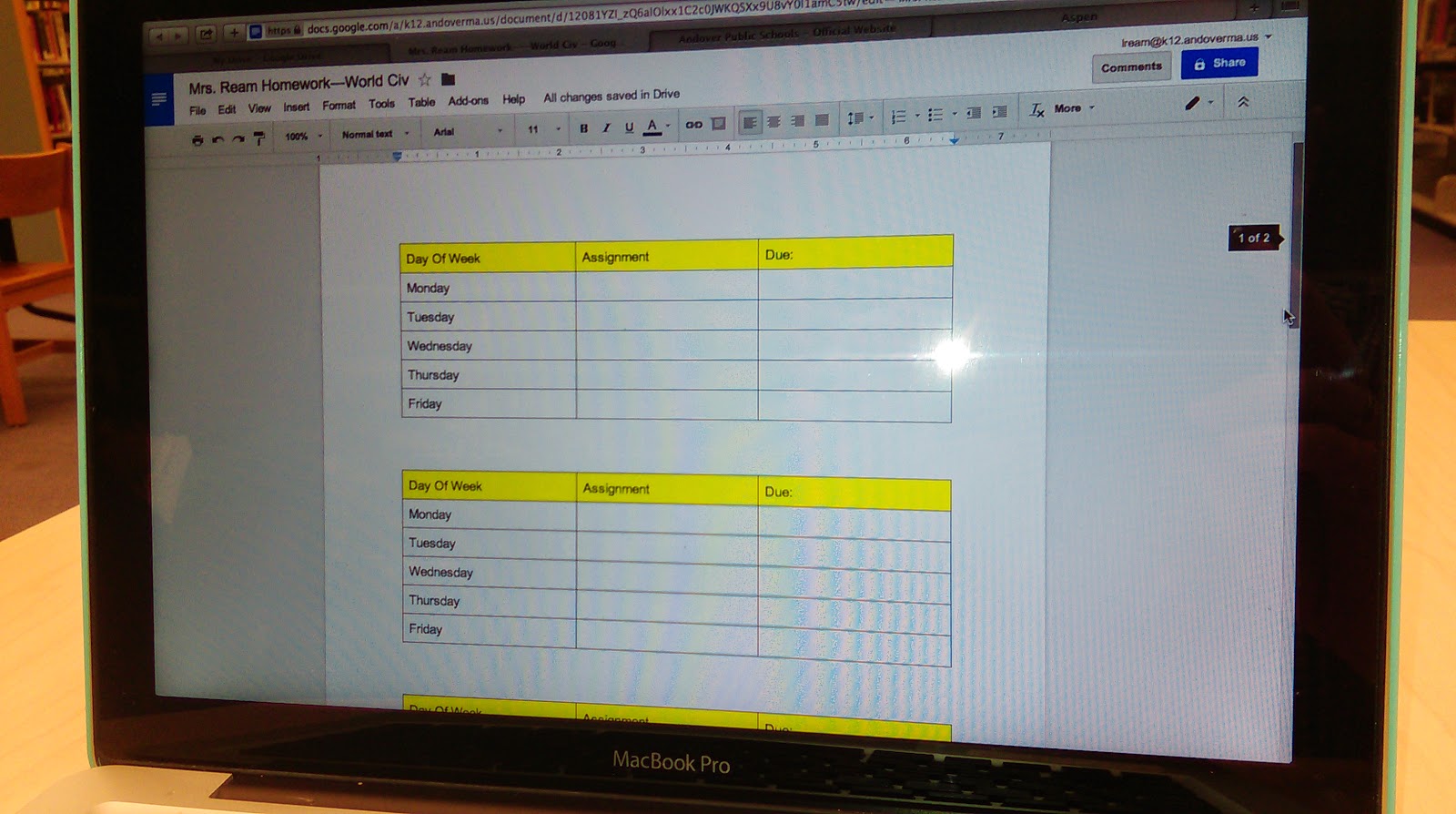
In the process of trying to simplify how to add homework in a streamlined way and Sherrett with parents and students using Aspen I have been showing the use of a Google doc with a shorten link.  On this Google doc I create a table and organize the tables according to the days and weeks of the school day this is an opportunity to keep it consistently organized homework schedule on a live document that teachers do not have to go into Aspen to edit.  This is one of the huge benefits of Google Docs and using shortened personalize the links in order to share materials.  By being able to edit the doc you can consistently update the homework assignments with those who view the consistent link located on the Aspen pages.


Best Practices for Sharing & Editing With Google Drive

I recently started having conversations with both the English and Social Studies Department members about creating a series of best practices for the use of Google Docs and the editing of longer papers.  This process requires an in-depth look at what are the best ways of using the commenting features, sharing features and add-ons that are available with Google Apps for Education.

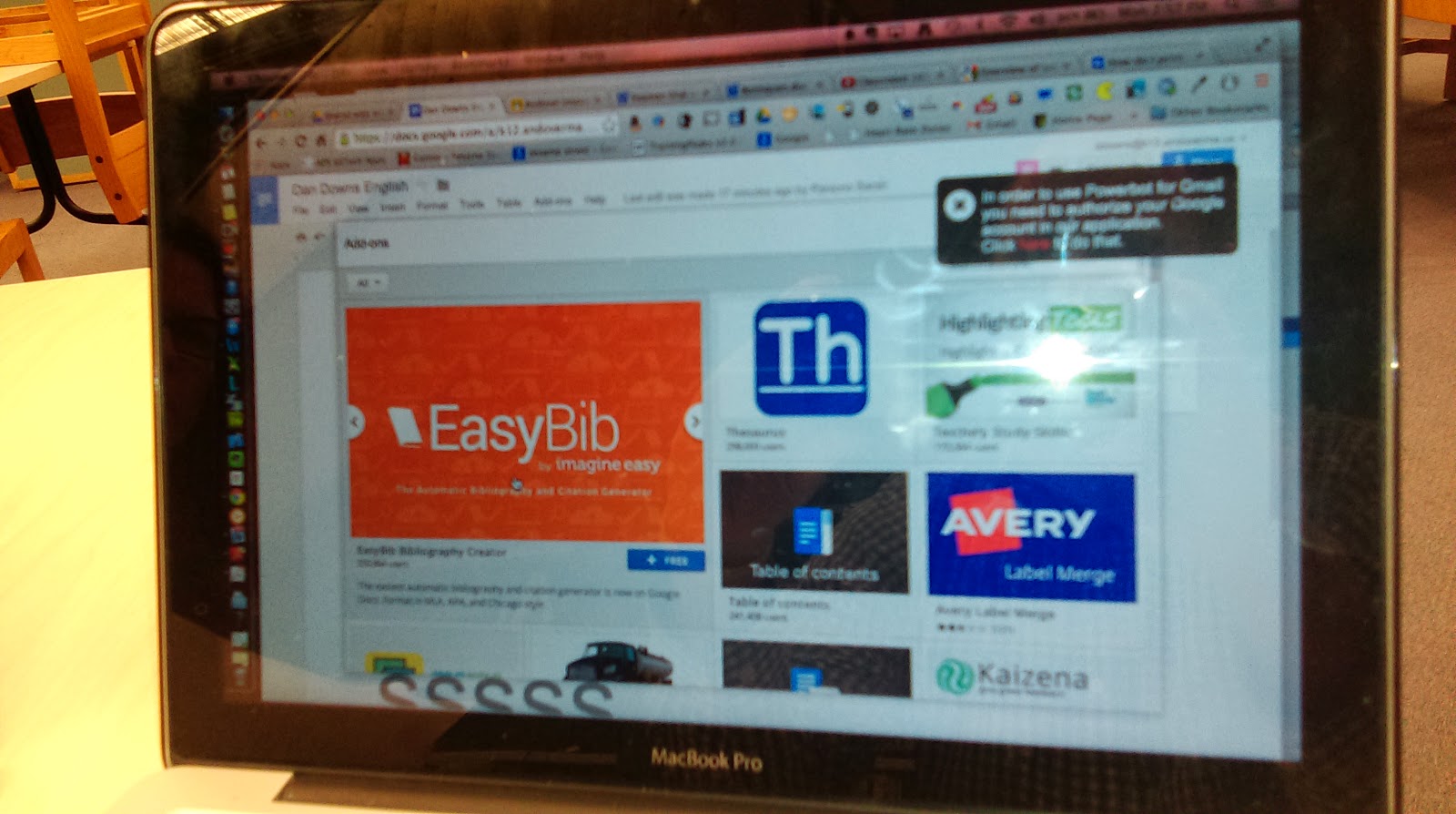
One of the very cool add-ons that’s available is the Easy Bib for Google docs.  This add on enables students to select a piece of text in their paper and then search for a source for citation on the add one. 


The add on locates the source and adds the citation to an area at the bottom of their page and organizes the citations for the student.  This tool ultimately saves a lot of time and helps keep citations organized within a document.


Flubaroo Training-Tech Byte

This past week I conducted a training for the use of Flubaroo at the Andover Public Schools Tech Byte training. Flubaroo is a great add-on to assist with grading quizzes that are you created with the Google Apps for Education Forms documents.  I have created some tutorial videos that I will link to which shows you how to get started with using Flubaroo and how it can improve the way in which you streamline your quizzes that you provided classes. View Part 1 Of My Video Series On Flubaroo.


Pixlr Tool as Web Based Photoshop Alternative
This past week I was able to recommend the Pixlr tool to our web design teacher Mike Messina.  He was looking for a web-based alternative to Photoshop that allowed him to create graphics of different resolution and size and also enabled the ability to add different types of text and layer styles.  This tool is a great web-based tool that allows you to download any of the images that you create as well as upload images into use within the interface.  Definitely check this tool out if you're on a computer that you're not used to working on our really just need a great web-based option and don’t have Photoshop.

Thursday, October 30, 2014

Andover Innovation Lab & Help Desk Experiences At MassCue 2014-Lab Overview and Student Help Desk

On early  Wednesday October 22nd 5 students left early and  travelled to Gillette Stadium in Foxboro,Masachusetts from Andover High School as members of the Andover Innovation Lab and Help Desk to be part of the MassCUE(Massachusetts Computer Using Educators event in the form of the student help desk featured in the main concourse. The students participating were Eli Gukovsky,Ari Primak, Will Owen and Bryce Corbitt.


With the assistance of Dan Downs and Dan Brennan the students set up a video which promoted their endeavors at the help desk and helped outline the curriculum which they are part of at the high school. The video below helps outline the process of the Andover Innovation Lab and Help Desk.


This was a great opportunity for the students to better understand the huge movement they are apart of which empowers students to use technology more efficiently with teachers and enables them to work on their own innovative technology driven project. Students had an opportunity to network with other teachers who use technology as a main part of their instruction. 

The students also had a visit from Andover Public Schools Superintendent Dr. Marinel McGrath who visited and chatted and tweeted out her visit with the group.


I was also able to present the Andover Innovation Lab curriculum to a roomful of teachers eager to see how we work on our projects and use blogging as a reflective form of the process. The presentation below outlines the design of the curriculum used at the help desk and provides an overview of several of the students projects. This was a highly beneficial opportunity to share what we do at the Andover Innovation Lab and how this model continues to evolve as we integrate technology in the district.


Sunday, October 5, 2014

Instructional Technology Weekly Update-Andover High School & Wood Hill Middle School-Andover Innovation Lab September 29th-October 3rd 2014


This week I had the opportunity to learn more about Nettexts at Woodhill Middle School. Sara Mensale the Digital Learning Specialist at Woodhill Middle School and I participated in professional development with several groups of teachers from the school. Nettexts is a web based application for a variety of platforms which enables the creation of lessons,units and entire curriculums using Open Educational Resources often called OER.  It was great to get a refresher on how this software can help manage open educational resources for teachers who want to implement them into their courses.


At the Andover Innovation Lab and Help desk we had a busy week with students preparing their Project Development Forms which help them outline three formative projects they will be working on over the next several weeks. All of the students are very motivated to work on this phase of their projects and they have all been so productive this semester so far. I really expect that in this phase we will really see their projects take shape and they will start to see their research pay off. This week Andre D.  is a student of the week he has been busy working on his Android Studio project and is finding resources to get his project moving.

To view these documents and the students blog please visit:
http://www.andoverinnovation.com


All of the blog entries found on the website this week will relate to the students ability to complete the Project Development Form and give us more insight into what their thoughts are about their projects as they move forward. Take a minute to view the finished blog entries on the website and read all the entries for this week.  The students  have all shown a great level of interesting applying technology to their learning.


In terms of assisting teachers around the high school this week Bryce Corbitt started with updating the iPad cart for the Social Studies department. Bryce was eager to get started with this and learn how the iPad's could be updated and how new apps need to be added to the iPad's and need to be cleared for new projects. He will continue working on these projects for teachers in the next coming weeks. Be sure to check out my screencast video of the expectations of this week's work and what the potential projects and items on our to do list where.


This week Dr. Lord decided to share out many department members websites that have been in the development over the past couple weeks. Here is a  link to his blog which contains the links he shared out in the past week. 
Dr. Lords Blog
I had a great time collecting them from teachers. With speaking to teachers about these blogs I had great discussions about the content and the direction they were thinking of taking. In the past week I've also had an amazing opportunity to begin the training of some of the high school teachers with the use of Google Sites and Google classroom.


Many teachers have decided to build websites not only by working with me but also taking the TechByte  trainings with Joanne Najarian at the central office on Tuesdays. I've begun to introduce teachers to the classroom and how the documents can be easily shared amongst each other. I think one of the huge benefits of working with in the high school so closely is my opportunity to sit down with teachers in their break rooms and discuss how I can help them with technology. One of the departments that I've gotten to know more closely is the World Language Department in which we can share a variety of strategies for organizing audio files and also creating websites to help them teach. We have also worked closely to create forms for students to submit information for quizzes and surveys in a variety of languages.


This is an exciting time of year with teachers and technology. We are in a time of great experimentation and transition. Each week I see a transition of skills and adaptability to use technology in the classroom.


Monday, July 14, 2014

Selectively Coloring An Image In Photoshop The Easy Way- Less Than 5 Minutes!

Here is an easy way to selectively color an image in Photoshop to bring attention to those bright colors in a photograph. This is a great effect for the seasoned professional photographer,graphic artist or even just starting out.

Basic Steps & Video:
 1) In this tutorial it starts with opening an image and duplicating it in the layers palette. By doing this you have created two versions of the image.

2) The next step is to desaturate the image in the top layer so that the color is removed. You can also use the black and white feature but this will give you a separate option. You now have a black and white image over a colored one.

3) Now zoom into the image to focus on an are using either choosing either "view" the "zoom" or select "ctrl" or "command" and choose + or - to go in or out. Once zoomed in select the top black and white layer on the palette and then the "eraser" from the tool bar.

4) Accurately select the options for the eraser on the top bar of the screen and choose your choice of hardness or softness and anticipated brush styles. Slowly erase the portions you would like removed and reveal powerful colors from your black and white image.

5)  Be sure to save the final image as a .jpeg to compress the image into one layer.

View The Entire Tutorial Here:


Friday, April 18, 2014

April 14th-18th Instructional Technology Update-Andover High School- Daniel Downs


This week I signed up for Code.org professional development for the implementation of the Exploring Computer Science Program. This training will help teachers in the state of Massachusetts implement the new course becoming fall season. It will require multiple online hangouts online ands a weeklong session in August.

One of the most exciting opportunities with this program is the collaborative professional development between teachers in the state of Massachusetts. It’s a great opportunity to be part of some new course development that once implemented will make ahuge impact as the new standards for computer science are released statewide


 As a district we are preparing for the shift as we had a visit from the head of ECS come and talk to us about the benefits of this program in the background of the grant. We are excited to be part of this opportunity and look forward to implementing the courses next year. We plan on implementing the Exploring Computer Course as well as additional courses as they are offered through the grant.

The Digital Learning Department is continuing to support the creation of a mobile application for Andover high school students. In the past week we have set at some planning sessions on the integration of the app with in the school culture and how it could be used to support the existing website. We look forward to working with Dr. Lord and Director Of Digital Learning  Joanne Najarian
to helping us make this app happen.


Friday, April 11, 2014

April 7-11 Instructional Technology Update Andover High School -Daniel Downs


I have been communicating with teachers around the building this week on how to use Baseline Edge software and complete the uploading and checking off of evaluation documents. This has benefitted teachers with helping them become more familiar with saving and storing important artifacts for their SMART goals. This learning process has been taken on with full steam and I am highly impressed with their detailed documentation of their learning goals and graphics being added to the portal.

Sara Adam a senior who works at the helpdesk was in a cake decoration competition in Danvers Mass. She is currently designing a website at the helpdesk about her cakes and designs and cupcakes. Sara has been diligently working on her site which displays a photo gallery of her work and also the history of her business. 
Sara was eager to have the opportunity to join the help desk and she has brought a great spirit and attitude to the help desk.


This week I continue to work with Peter Hall on his video project that he has for this the French students. He is currently using iMovie with video clips the students of shot show parts of Andover to the students are visiting from France. I am working with him to have the clips to iMovie edit and add titles. Peter has dedicated himself to integrating more technology into his classes and now he is taking on full video projects.


He will be sharing this project with the students were visiting as well as his own students to strengthen the vocabulary and dialect of their French. Working with Peter has been greatly rewarding and I am currently planning on using his project as a best practice for high school integration in Andover. I have included the photo of Peter's notes which he meticulously took about the contents of the project outcomes he wanted for students in this video. 


We are currently planning a video which will showcase teacher use of technology across the district. The video will be a collaboration between the digital learning department and the film and video studio teacher at Andover High School, Dan Brennan who will help us shoot and edit the "Virtual Open House".


The goal of the "Virtual Open House" will be to inform the community,parents,teachers and students of the variety of new technology tools, integration strategies and best practices which will be an important part of the 1:1 implementation in the fall in the 8th grade. Stay tuned for more updates on the progress of the video as we move forward.